What Dante Networking Means for Studio and Venue Installations
Dante (Digital Audio Networking Through Ethernet) is the industry-standard protocol for distributing audio over IP networks. It runs on standard gigabit ethernet infrastructure, the same cabling already installed in most commercial buildings. A Dante-enabled interface converts audio to network packets, transmits them across ethernet to any other Dante-enabled device on the same network, and reconverts them with sub-millisecond latency.
For multi-room studios, broadcast facilities, houses of worship, and live sound installations, Dante eliminates the need for long analog cable runs, stage boxes, or MADI infrastructure. A single ethernet cable replaces what previously required a specialized analog or digital snake.
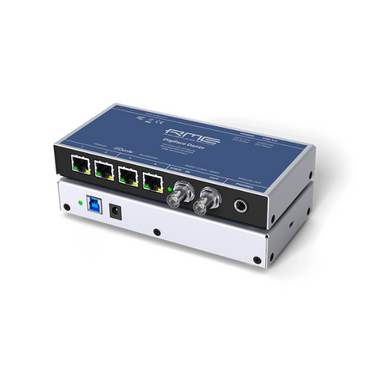
RME Digiface Dante — 256-Channel USB to Dante Bridge
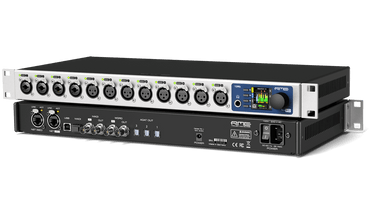
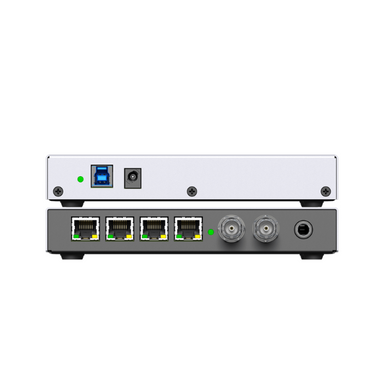
The RME Digiface Dante is a compact USB interface that bridges a workstation-connected USB port to a full Dante network. It provides 256 channels of Dante I/O alongside MADI connectivity, allowing a recording computer to send and receive audio from any device on a Dante-enabled network without requiring a PCIe card or dedicated Dante hardware. TotalMix FX manages routing and monitoring across the full channel count.
For studios adding Dante distribution to an existing USB or MADI workflow, the Digiface Dante is the most direct integration path. It is also the correct choice for broadcast and post-production facilities that need to connect a single workstation to a facility-wide Dante network.
Universal Audio Apollo x16D — Dante Plus UAD Processing
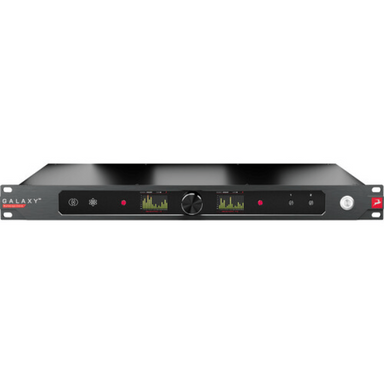
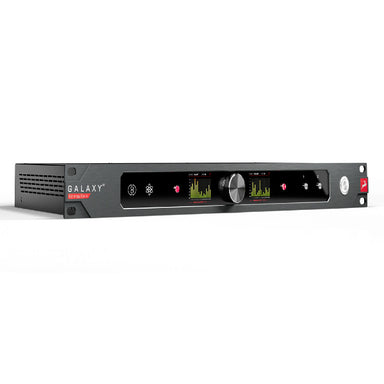
The Universal Audio Apollo x16D combines Thunderbolt 3 connectivity with full Dante networking in a 2U rack interface. Sixteen analog inputs and outputs are routed simultaneously over both Thunderbolt to a local workstation and Dante to a facility network. The onboard QUAD UAD-2 core processes Universal Audio's plugin library at tracking time across all sixteen channels.
For multi-room studio installations where the primary tracking room runs Apollo-based sessions and secondary rooms require audio distribution, the x16D handles both requirements without a separate Dante bridge device. It is the correct choice for professional facilities that want to unify UAD processing with Dante distribution in a single rack unit.
Dante Network Setup for Recording Studios
A Dante audio network requires a managed or unmanaged gigabit ethernet switch, at least two Dante-enabled devices, and the free Dante Controller software for routing configuration. Dante Controller runs on any Mac or Windows computer on the same network and handles channel-level routing between all Dante devices without requiring dedicated hardware. Audio devices appear as sources and destinations in a matrix routing view, where any input can be routed to any output across the network.
For studios adding Dante for the first time, a single managed gigabit switch, the RME Digiface Dante connected to the main workstation, and one additional Dante-enabled preamp or stage box is sufficient to test the workflow before expanding.
Sample Rate and Latency in Dante Networks
Dante operates at either 48 kHz or 96 kHz sample rates depending on the configured mode. At 48 kHz, Dante achieves network latency as low as 150 microseconds on a properly configured network, effectively transparent for recording applications. At 96 kHz, channel count and latency characteristics change depending on the Dante implementation. Verify the Dante channel count specification for each device at your target sample rate before finalizing a multi-device installation.
FAQ:
Q: What ethernet switch do I need for a Dante network?
A: A gigabit (1 Gbps) ethernet switch is required. For installations with more than eight Dante devices, a managed switch with QoS (Quality of Service) configuration is recommended to prioritize audio traffic.
Q: Can Dante run over Wi-Fi?
A: No. Dante requires a wired gigabit ethernet connection. Wi-Fi introduces variable latency that is incompatible with the timing requirements of professional audio distribution.
Q: How many channels can Dante carry?
A: Standard Dante supports up to 512 channels of audio over a single gigabit ethernet connection. The RME Digiface Dante and Universal Audio Apollo x16D both support up to 256 channels depending on sample rate and device configuration.
Q: Do I need a dedicated Dante network or can it share a standard office network?
A: Dante can share a network with standard IT traffic, but a dedicated network or VLAN is recommended for professional installations to prevent network congestion from affecting audio performance.
Q: Is Dante compatible with Ravenna and AES67?
A: Dante is not natively compatible with Ravenna, but Dante devices with AES67 mode enabled can interoperate with AES67-compliant Ravenna devices. The RME Digiface Ravenna is the correct interface for native Ravenna installations.
Q: What software do I need to configure a Dante network?
A: Dante Controller is the free configuration software provided by Audinate. It runs on Mac and Windows and handles all routing, clock sync, and device discovery across the network.
Internal Links: · Professional Audio Interfaces · USB Audio Interfaces · AD/DA Converters · Master Clocks · RME Audio collection · Universal Audio collection



 Save $500.00